
Your AI copilot for every application.
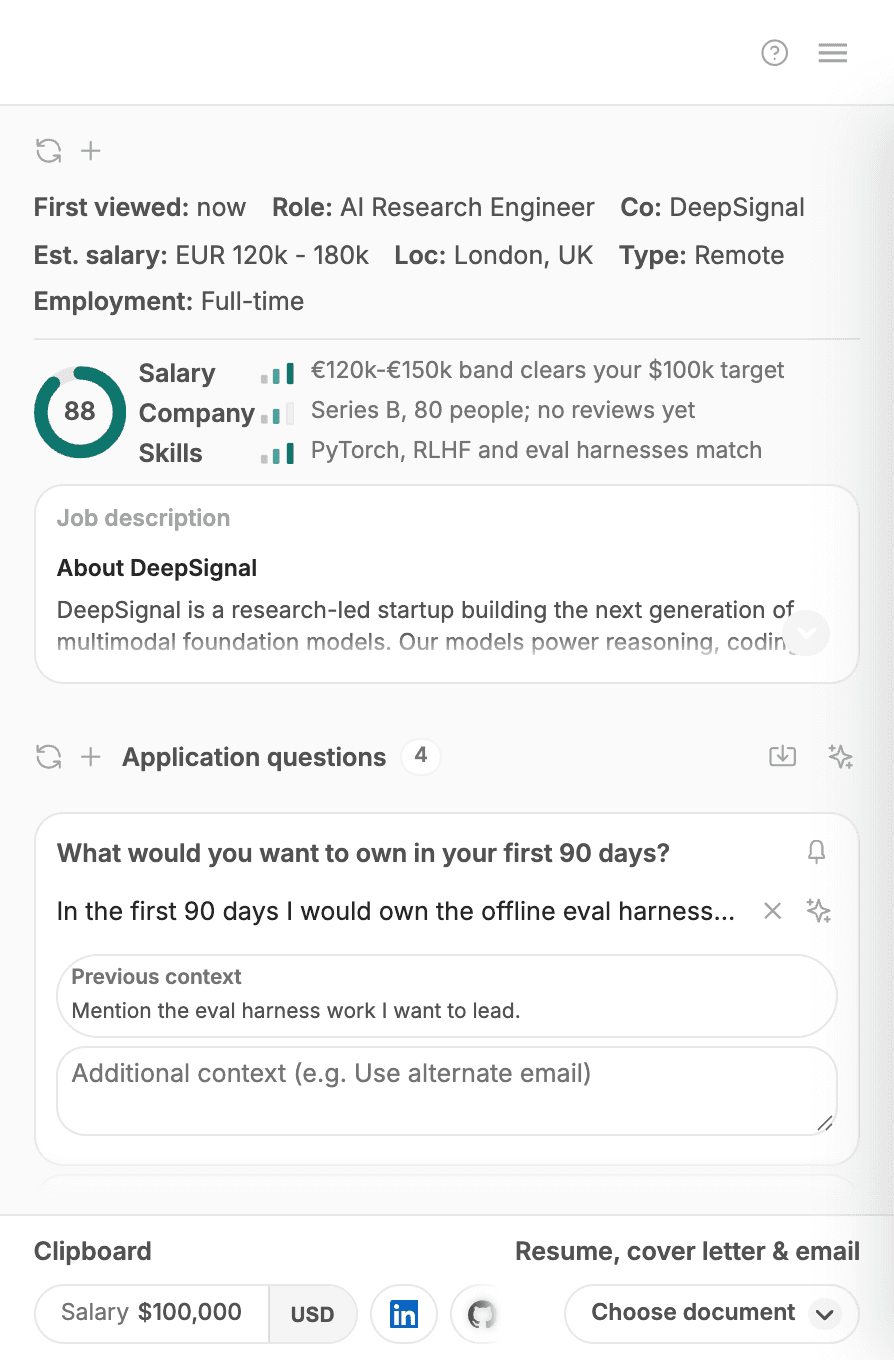
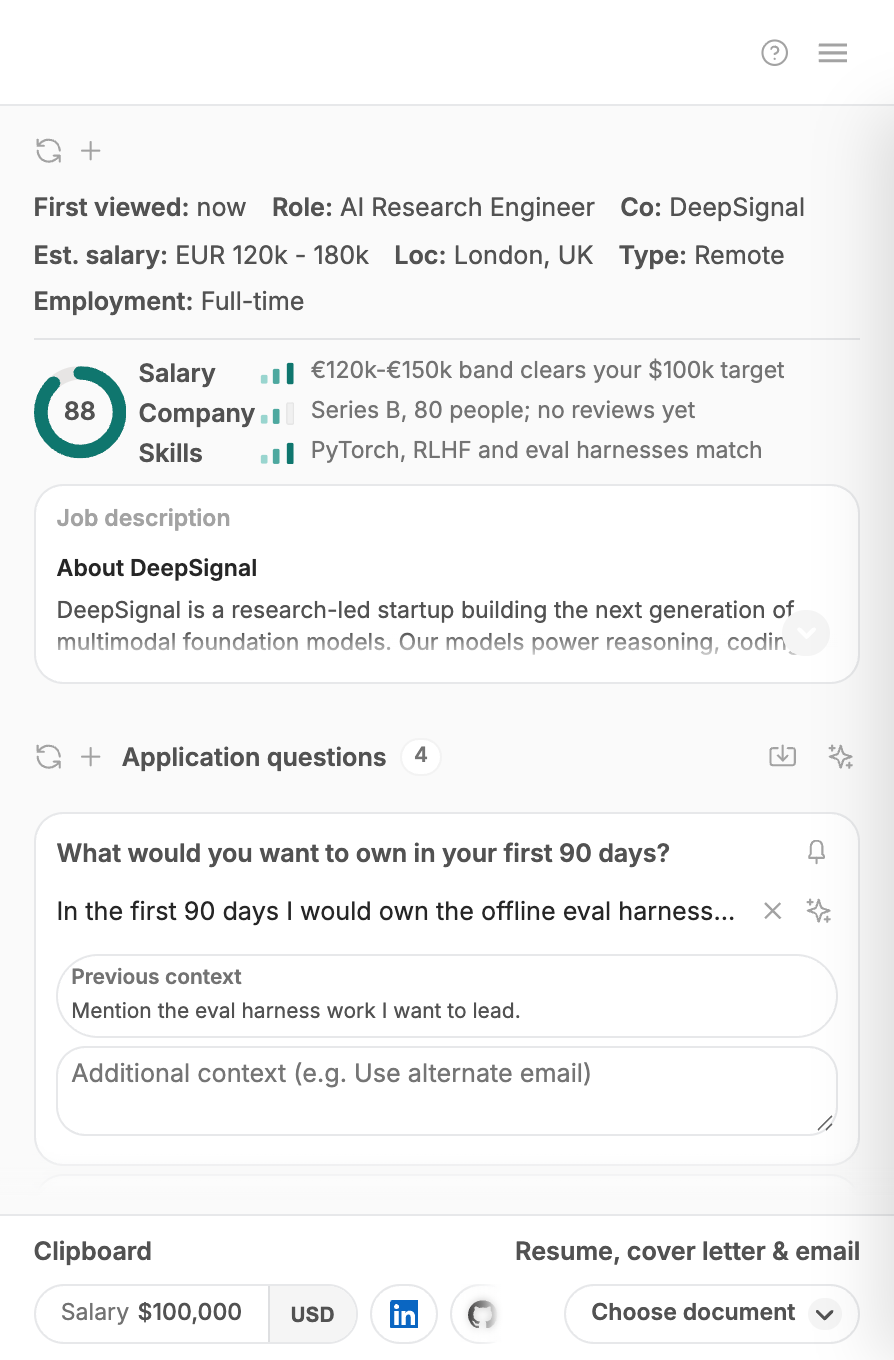
The Borderless Roles extension opens next to any job you find. Click Scan for a fit score, answers written from your profile, and a tailored resume and cover letter. One more click fills the form, and you press submit.
One scan
Scan once. Build the whole application.
One click reads the role, the requirements, and the questions on the form. Everything below comes out of that same scan, so you never paste a job description into a chat again.
Fit score first
See how the role matches your pay floor, location, work authorization, and deal-breakers before you spend a credit on it.
Answers in your voice
Every question on the form gets a draft written from the listing and your profile. Add a line of context to steer it, then edit anything.
One-click autofill
Your name, email, phone, and links fill the standard fields for free. One more click fills your drafted answers too.
A tailored resume
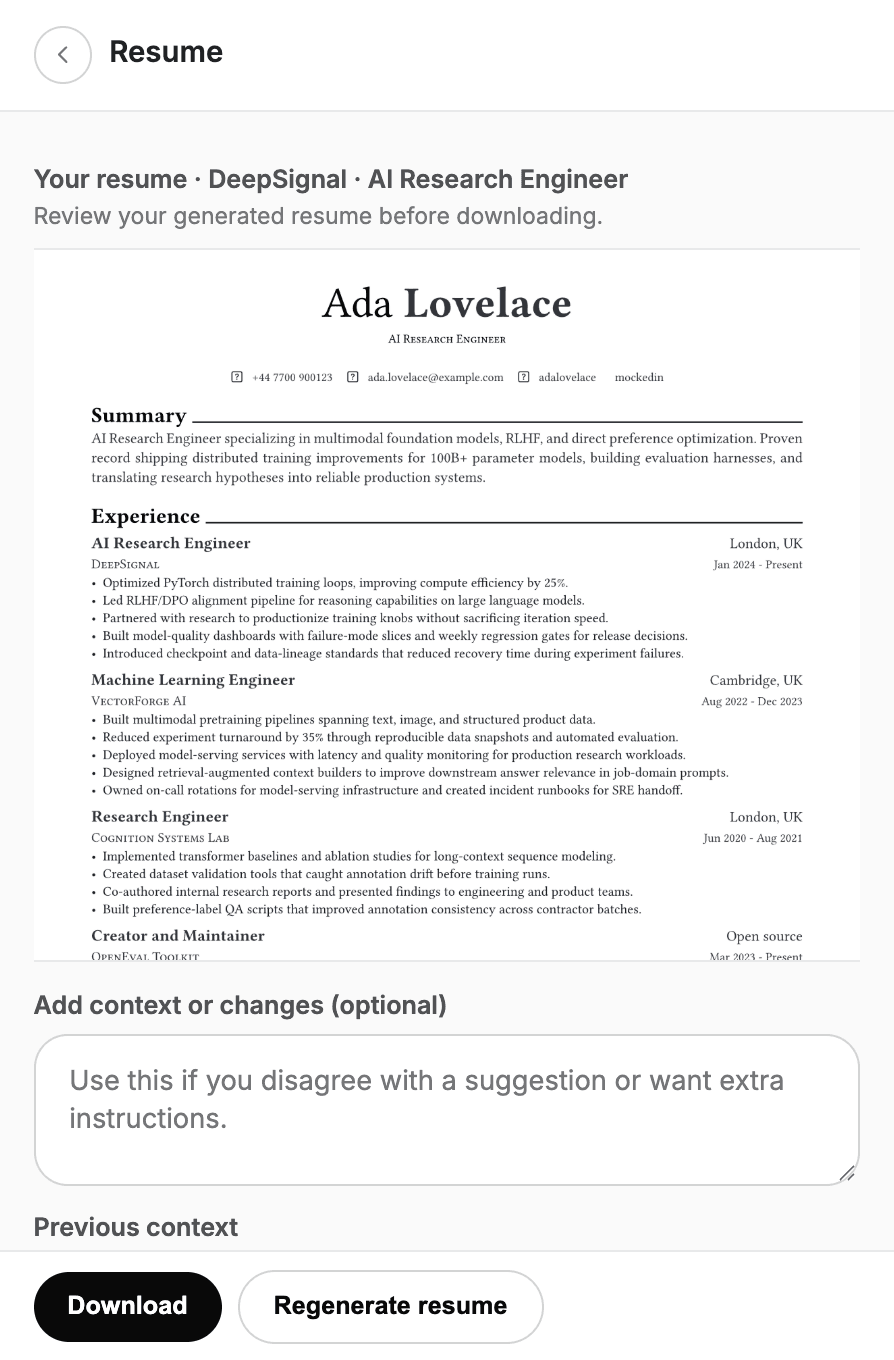
Pick what to emphasize for this company, choose a template, and download a resume written for the role.
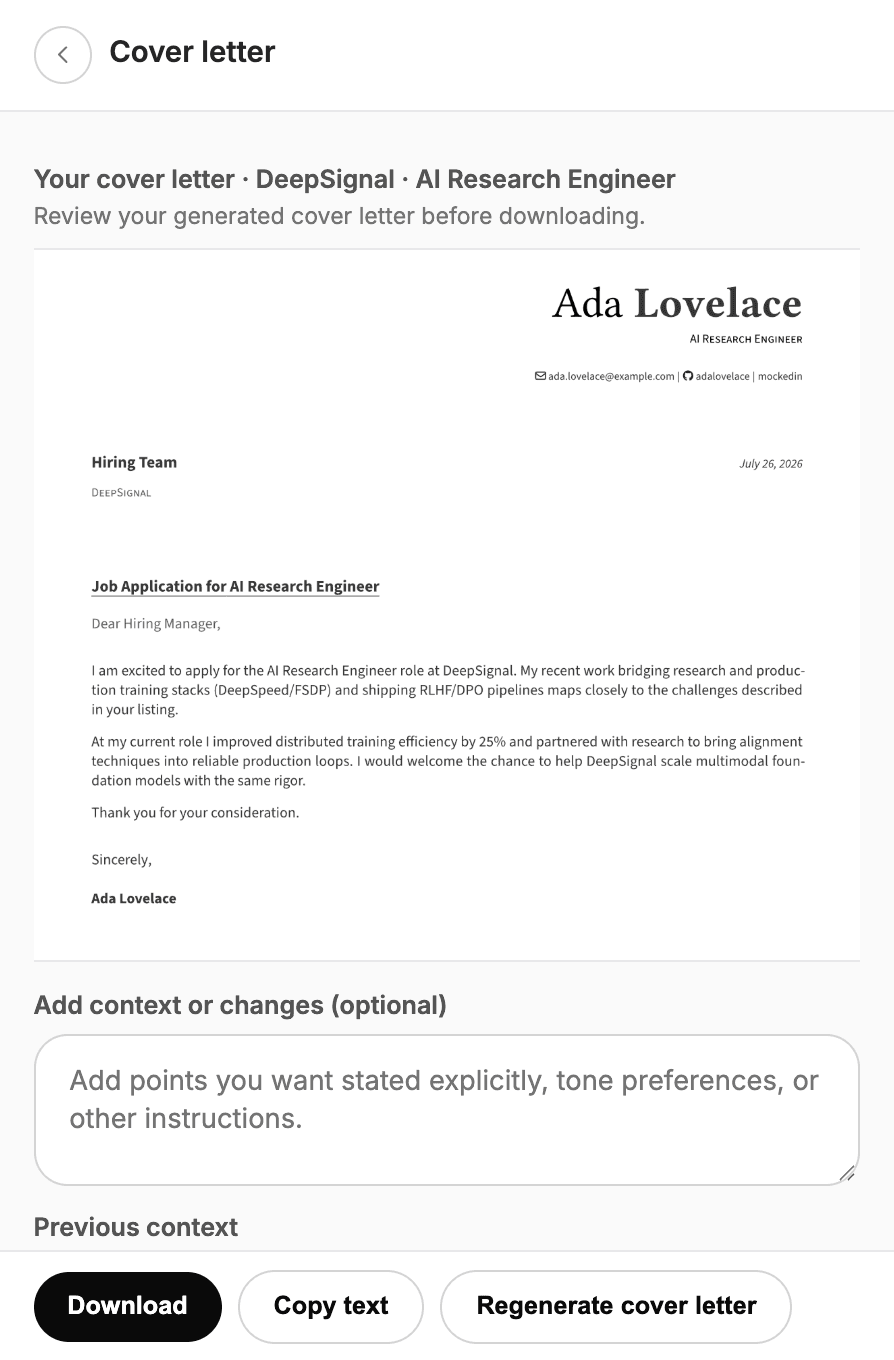
A cover letter that fits
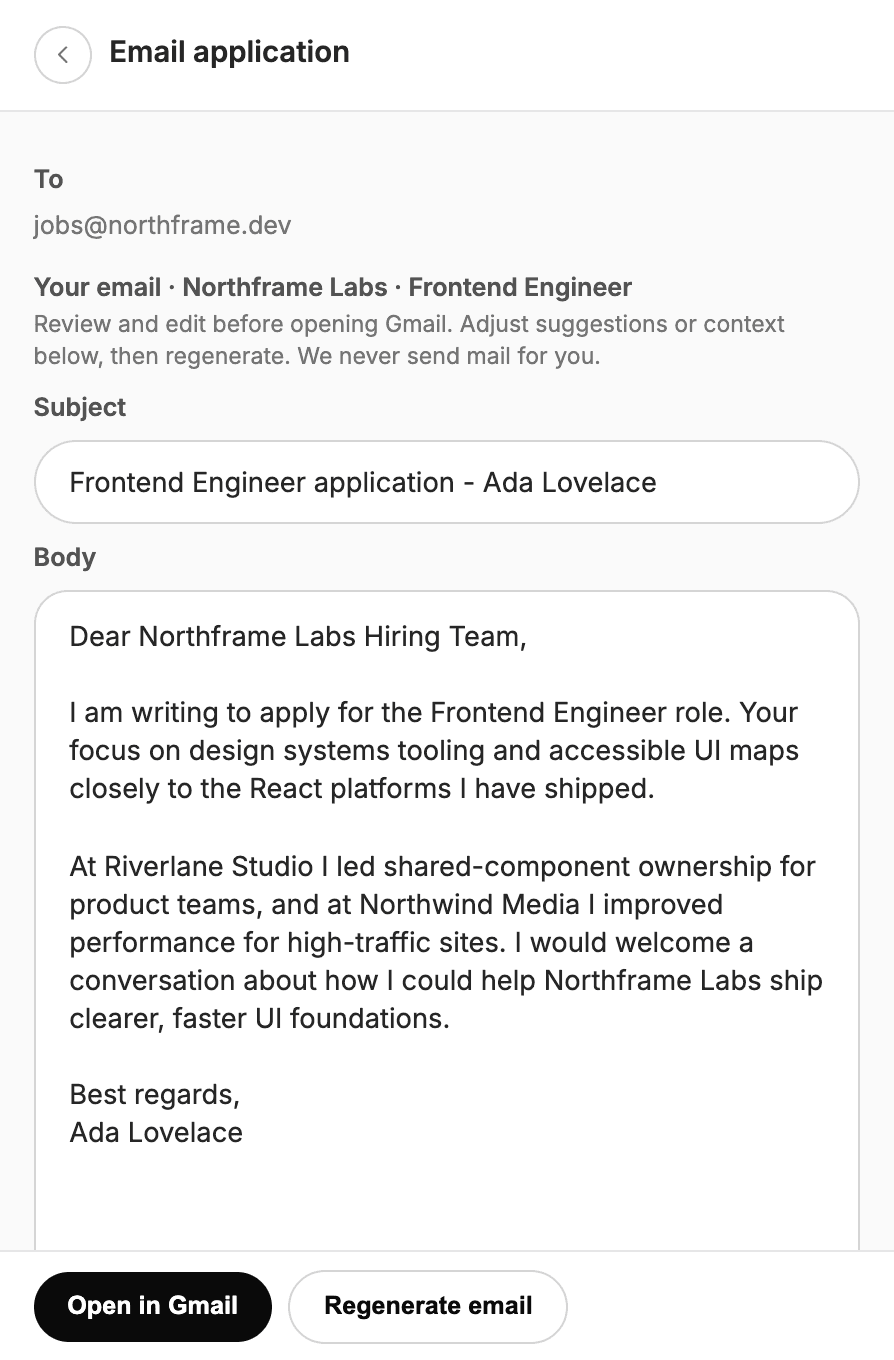
Keep the talking points that matter, add a note if you want, and get a letter for this company, not a template.
Learns as you apply
Save and pin your best answers. They carry over to the next form, and your edits teach the drafts to sound like you.
From scan to submit, without leaving the tab.
Answer every question
Scan the listing to pull the role, the company, and the questions. Check the fit, add context where it helps, and generate. Review the answers, fill the form in one click, and press submit yourself.
Tell it what a good fit is
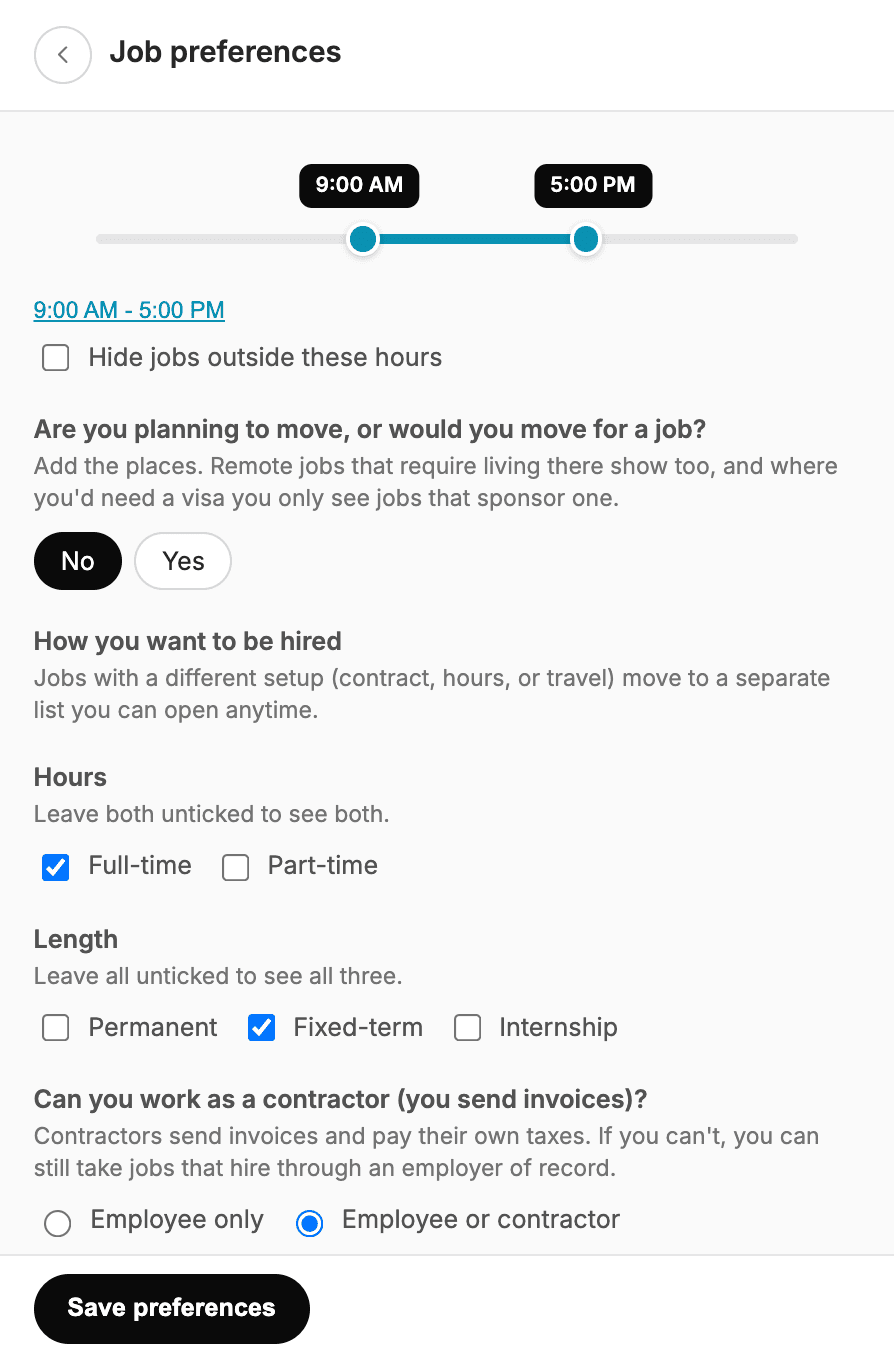
Set your pay floor, locations, work authorization, and deal-breakers once. Every listing you scan is checked against them.
Pick the points, get the letter
Talking points from the listing show up as a checklist. Keep what fits, add a note, and generate a letter for this company.
A resume for this company
Suggestions from the listing show up as a checklist. Keep what fits, pick a template, and download a resume tailored to the role.
What the AI checks on every listing
A job is only worth your time if you can apply to it. Every listing is read for these before it reaches your results.
- Remote eligibility, not just "remote"
- Plenty of remote roles only hire in one or two countries. We read the hiring zone and show a remote role only when it can hire where you live.
- Visa sponsorship, from the posting
- A role abroad is labelled as sponsoring only when the posting itself states it. We never label a role from a government register, which only tells us where to look for jobs.How we label visa sponsorship
- Hiring zones and working hours
- We read the time zone a team hires in, so you can keep to roles whose working day overlaps yours.
- Real listings, not board noise
- The same role cross-posted on several boards, or one employer posting it city by city, collapses to a single result. When a company fills a role or pulls it, the listing leaves your results instead of lingering.
- Role and level
- Every listing is tagged with a role family and a level, so you can drop the seniority you are not applying for.
Opens on the job sites you already use.
Open a posting on any site below and the side panel opens beside it. If the application runs across several pages, the panel stays with you to the end.
Supported sites

Scan Easy Apply and full job posts. Answers are drafted beside the listing and filled in one click.

Read the full post and check the fit score before you spend time on the application.

The job and the form share one page. One scan drafts every answer, one click fills them.

Startup and scale-up forms. Check the fit score first, so you skip weak matches before a long form.

Heavy corporate forms across several pages. The panel stays open while you move through each section.

Structured application questions. Add a question by hand when a field does not scan cleanly.

European career pages with structured forms. Your standard fields fill from your profile.

Forms with custom dropdowns. The panel picks the matching option for you when you click to fill.
Built to stay out of the way.
- Reads the page only when you click
- The extension reads a listing when you press Scan. It does not run in the background or watch which tabs you open.
- Fills when you click, never submits
- Answers go into the form only when you click to fill it. It never presses submit, uploads files, or touches captchas and hidden fields.
- Minimal Chrome permissions
- It asks only for what it needs to open the side panel and read the active tab on demand. No access to your browsing history, cookies, or other tabs.
Everything the extension does
Fit scores, answers, resumes, and cover letters, plus every job site the panel opens on. Each one has its own page if you want the detail.
Keep exploring.
Have another question?
If something here is unclear, write us. We use Borderless Roles on our own applications, so we can usually answer from the product.
Other ways to connect
You can also reach us through the following channels. We aim to respond within 24 hours.