
Draft better answers without leaving the listing.
The job stays on screen. Borderless Roles sits beside it, drafts from your resume, and fills the form when you say so.
Our mission
Most people lose the thread between the listing, a chat tab, and the form. You re-explain the role, re-paste your resume bullets, and hope the answers still fit.
Borderless Roles keeps the listing, your profile, and your preferences in one Chrome side panel. You scan when you are ready, review drafts beside the job, and fill the form with one click once you are happy. Nothing is ever submitted for you.
It is not built to spam applications or let AI answer blindly. Your resume seeds the profile, and the system improves as you edit drafts and reuse what fits, while you still approve every line.
Used on real applications
- Applications
- 400+
- Answers generated
- 400+
- Job boards
- 4+
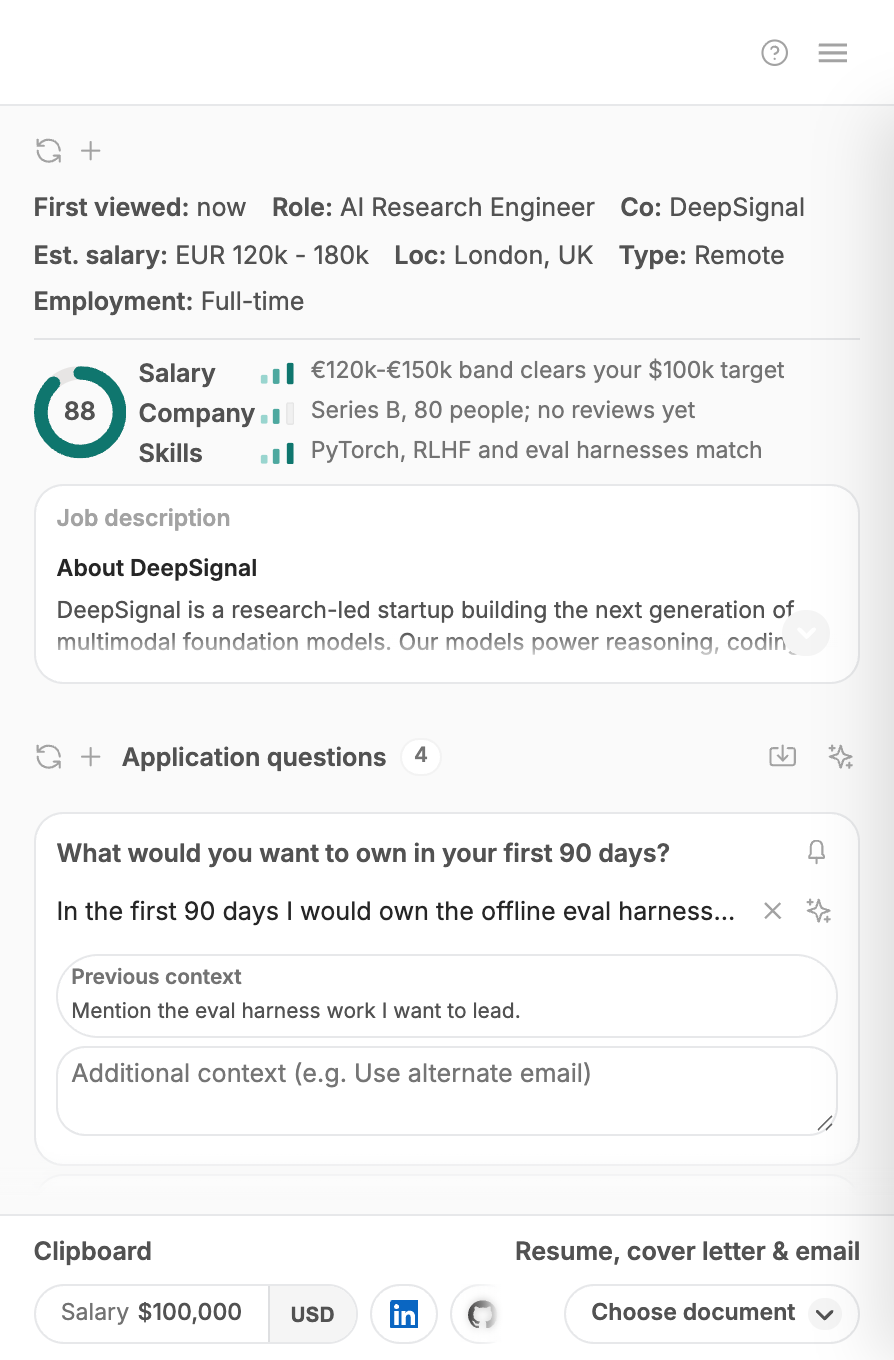
The listing stays open while you draft.
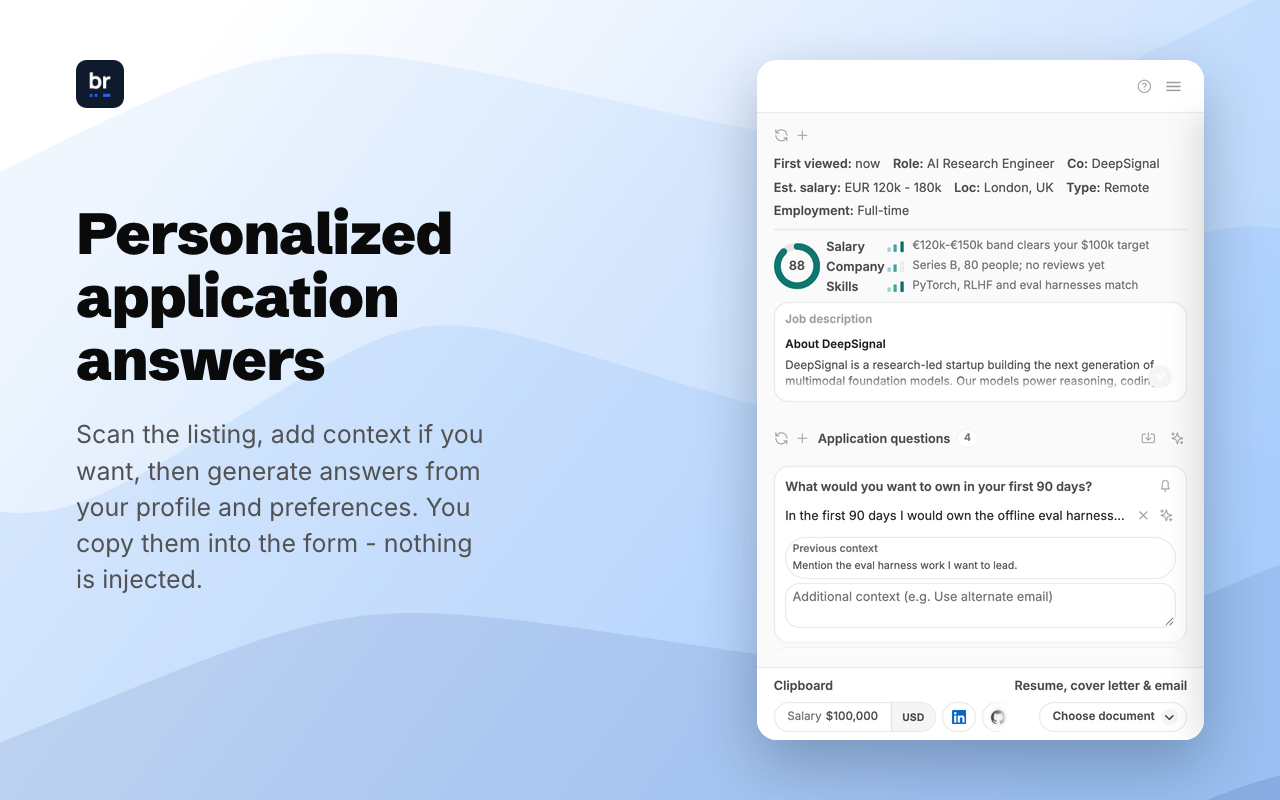
Open the side panel on the tab you already have. Scan when you are ready, then copy into the form yourself.
Chat tabs were never meant to hold a job search. Copying the description into a new prompt for every question is slow, and the thread falls apart the moment you switch back to the form.
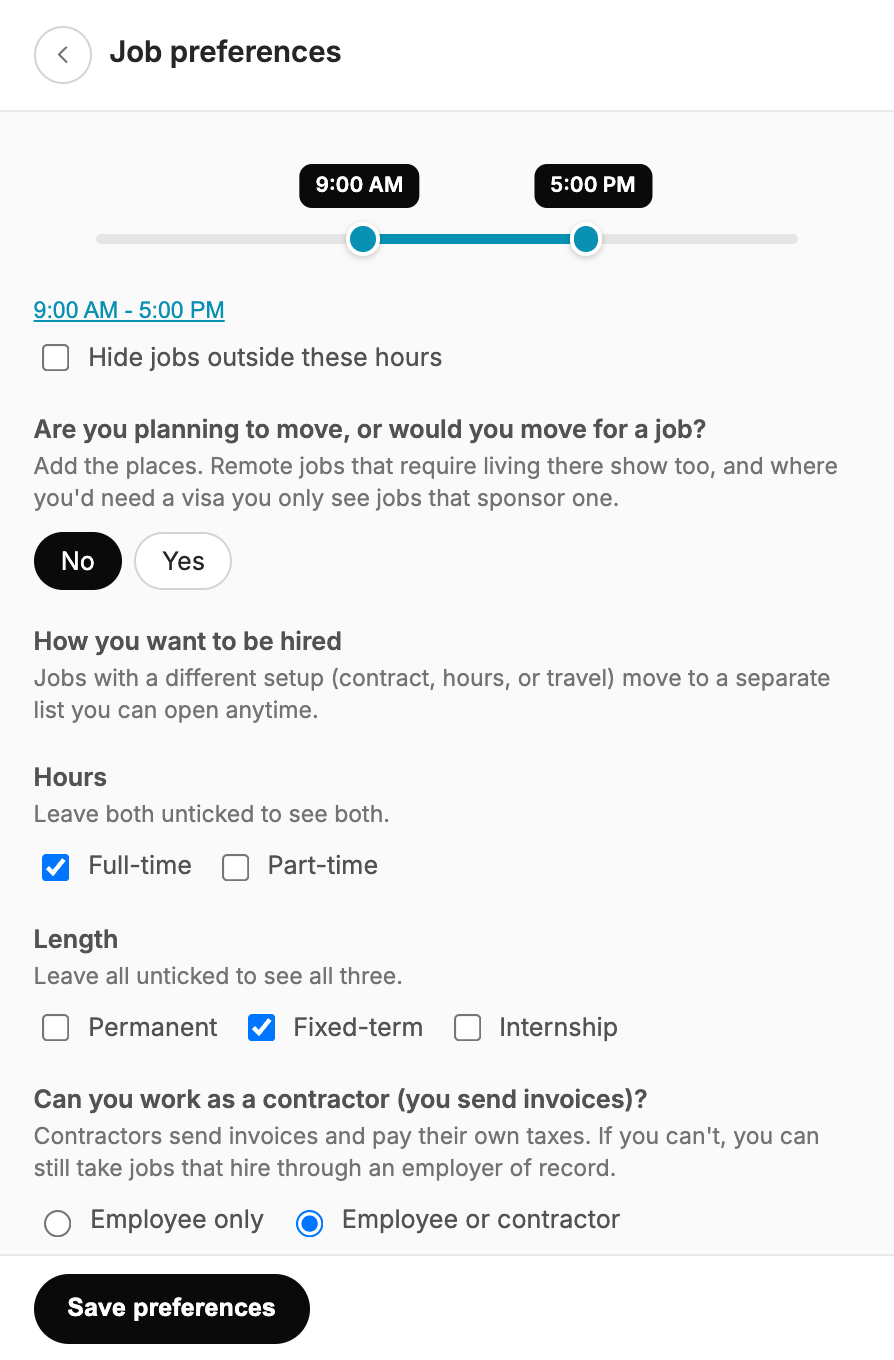
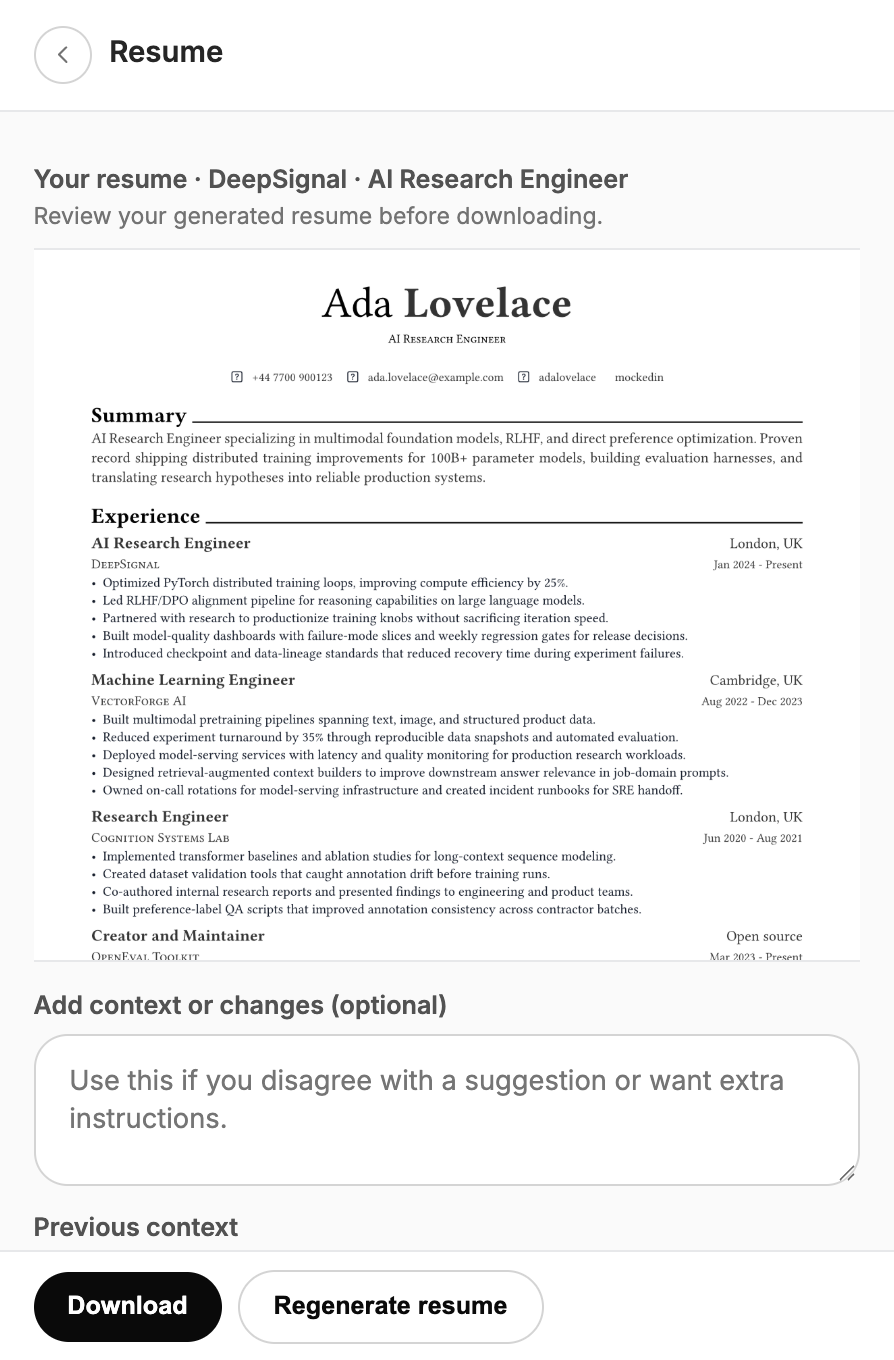
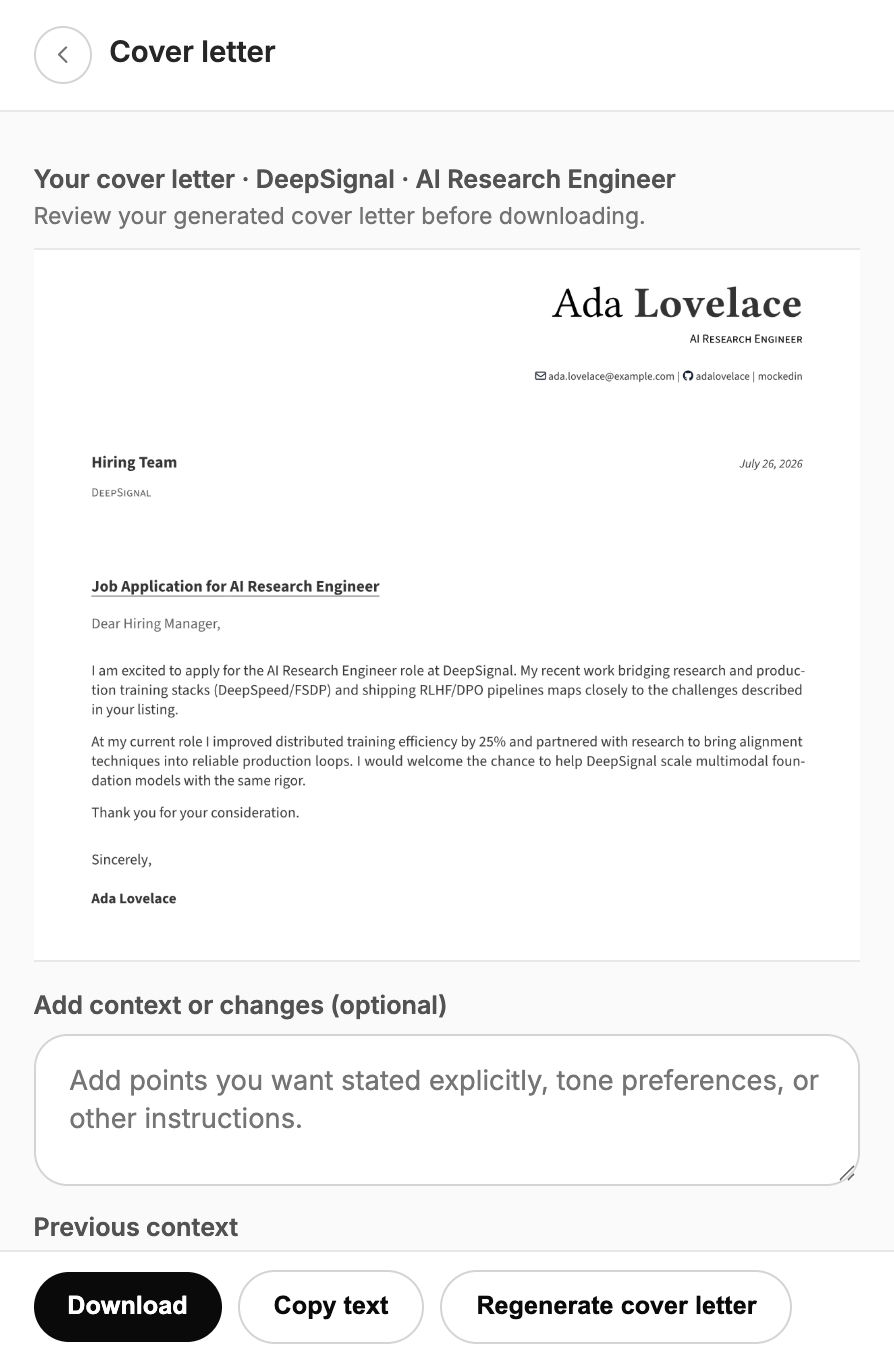
Borderless Roles reads the page only when you click Scan. It scores the role against the pay, location, and deal-breakers you set once, then drafts answers, a resume, or a cover letter from that same context. You review every line before it goes into the form.
Nothing moves until you move it.
- Nothing goes in until you click
- Answers stay in the side panel until you click to fill the form, and you can edit any field after. It never presses submit, uploads files, or touches captchas.
- You write, AI assists
- Drafts start from your resume and the listing, not generic filler. You edit, pin, and reuse what works so suggestions get closer to how you actually talk, and nothing goes out without your review.
- On-demand scanning only
- The extension reads the page when you click Scan. It does not monitor tabs, track browsing history, or run in the background.
- Your data stays yours
- Profile details and preferences live in your account, and scan results stay in your session. Nothing is sold, shared with employers, or used to train third-party models, and you can delete your account and everything behind it from the app at any time.
What you control
- Nothing is filled until you click
- Drafts improve as your profile grows
- Scanning runs only when you click
- Never sold, never used for model training
- Delete your account and data anytime
Keep a record of where you applied.
Your account holds your job feed and every role you applied to, so you can see what you sent and when. It is also where you top up credits and manage your plan.
Keep exploring.
Have another question?
If something here is unclear, write us. We use Borderless Roles on our own applications, so we can usually answer from the product.
Other ways to connect
You can also reach us through the following channels. We aim to respond within 24 hours.